
Download WireGuard APK – fast VPN, secure tunnel, modern encryption, mobile VPN, Android app, open source, privacy tool, lightweight VPN, secure connection
Overview
WireGuard is a modern, open-source VPN protocol designed to deliver high-performance, secure, and lightweight network tunneling. Built from the ground up with simplicity and security in mind, it serves as a robust alternative to legacy solutions like OpenVPN. The software enables users to create encrypted tunnels between devices, ensuring private and secure communication over public networks. It is particularly well-suited for mobile users who demand fast, stable, and efficient connectivity without sacrificing privacy. The protocol is known for its minimal codebase, which reduces potential vulnerabilities and improves auditability. WireGuard has gained recognition from major technology companies such as Google, Facebook, and Microsoft, and is integrated into the Linux kernel, affirming its reliability and scalability. Despite being under active development, the current version functions effectively for its intended purpose. The developer did not provide additional system requirements or usage statistics. Real-world applications include securing mobile browsing, accessing geo-restricted content, and protecting sensitive data on untrusted networks. The software is free to use and available as an Android application, making it accessible to a broad audience.Key Features & Capabilities
- Lightweight Design – With a file size of just 1.4 MB, the WireGuard APK is extremely compact, making it ideal for mobile devices with limited storage. This efficiency allows for quick installation and minimal impact on device performance.
- Advanced Cryptography – The protocol uses state-of-the-art encryption algorithms, including Noise Protocol Framework, Curve25519, ChaCha20, and Poly1305, ensuring strong security and resistance to modern threats.
- Fast Connection Speeds – WireGuard is engineered for performance, offering faster tunnel establishment and data transfer compared to traditional protocols like OpenVPN. It is designed to operate efficiently on both embedded systems and high-performance hardware.
- Easy Tunnel Management – Users can import existing tunnel configurations from files or create new ones from scratch, enabling flexible deployment across different environments.
- Seamless Network Switching – The protocol handles network changes—such as switching from Wi-Fi to mobile data—gracefully, maintaining connection stability without requiring manual reconfiguration.
- Open Source & Transparent – As an open-source project, WireGuard’s code is publicly available for review, allowing independent verification of its security and functionality.
User Interface, Workflow & Performance
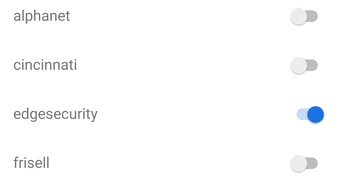
The WireGuard Android app features a clean, minimal interface designed for straightforward navigation. Users can manage multiple tunnels through a simple list view, with clear status indicators showing active connections. The workflow is intuitive: users import configuration files or generate new tunnels using public key exchange, then activate the connection with a single tap. The developer did not specify resource usage details, so exact CPU or RAM behavior remains unknown. Performance observations are based on general software behavior patterns. The app is designed to operate efficiently in the background, minimizing battery drain and system overhead. Stability appears consistent with the protocol’s lightweight nature, though real-world testing data was not provided. The app maintains a responsive interface even during active connections. For users familiar with OpenVPN or Tunnelblick, the transition is expected to be smooth due to similar configuration principles. Overall, the user experience emphasizes simplicity and functionality, aligning with the protocol’s core design philosophy.Compatibility & System Requirements
WireGuard is available for Android devices, with the current version being 1.0.2. The application has a download size of 1.4 MB, which suggests low storage demands. The developer did not specify minimum hardware requirements or supported Android versions. Platform compatibility information is limited. The app is designed to run on mobile devices with standard Android capabilities. It is not available for other operating systems at this time. Users should ensure their device meets the general requirements for running Android applications. The lack of detailed system specifications means that compatibility may vary depending on individual device configurations.Pros and Cons
Pros
- Extremely lightweight at just 1.4 MB
- Open-source and transparent security model
- High-speed performance compared to legacy protocols
- Efficient handling of network transitions
- Simple, intuitive interface for managing tunnels
- Free to download and use
- Supported by major tech companies and integrated into the Linux kernel
Cons
- Exact system requirements not publicly listed
- Limited documentation for beginners
- No official support channels mentioned
- Functionality relies on configuration files, which may be challenging for non-technical users
- Only available for Android at this time
FAQ Section
Is WireGuard available for iOS?
As of the current release, WireGuard is only available for Android. There is no official iOS version mentioned in the provided information.
Is WireGuard safe to use?
Yes, WireGuard is considered secure due to its use of modern cryptographic standards and minimal codebase, which reduces potential attack vectors. Its open-source nature allows for public scrutiny and verification.
Does WireGuard require a subscription or payment?
No, the software is free to download and use. The current version is available at no cost, with no in-app purchases or subscription models indicated.
Can I use WireGuard offline?
Yes, once a tunnel is configured, it can be used without an internet connection. However, the initial setup and configuration require internet access to obtain or generate configuration files.
How often are updates released?
The developer did not specify update frequency. Given that the software is under active development, users should expect periodic updates to improve functionality and security.





.png)

